How to Set Up Internet at Home in Croatia
You’ve just arrived in your new Croatian home, keys in hand, dreaming of sipping coffee on your balcony while catching up with family online or streaming your favorite shows. Then the stark reality hits: you need internet. And for many expats, this seemingly simple task can quickly unravel into a frustrating labyrinth of forms, unfamiliar technical terms, and what often feels like endless waiting. Fear not, fellow traveler; this guide will walk you through every step of setting up home internet in Croatia, from understanding the local infrastructure to choosing a provider and finally getting connected.
The Initial Hurdle: Understanding Croatian Internet Infrastructure
Before you even think about signing a contract, it’s incredibly helpful to understand the lay of the land when it comes to internet infrastructure in Croatia. It’s not always as straightforward as in other parts of the world, and what’s available can heavily depend on whether you’re nestled in a bustling city like Zagreb or a serene, remote island village. Knowing this upfront can save you a lot of headaches down the line.
ADSL/VDSL vs. Fibre Optic FTTH What's Available Where
For many years, the backbone of Croatian internet was ADSL (Asymmetric Digital Subscriber Line) and its faster cousin, VDSL. These technologies rely on the old copper telephone lines, meaning speeds are often limited and can fluctuate based on your distance from the central exchange. If you've moved into an older building, especially outside of major urban centres, there's a good chance ADSL or VDSL might be your primary fixed-line option. While it's generally reliable enough for basic browsing and email, don't expect lightning-fast downloads or seamless 4K streaming if you're on a slower connection.
However, the good news is that fibre optic internet (FTTH – Fibre To The Home) is rapidly expanding across Croatia. Major cities like Zagreb, Split, Rijeka, and Osijek, along with many larger towns, now boast significant fibre coverage. If you're fortunate enough to live in an area with FTTH, you'll experience dramatically faster, more stable, and more reliable internet – think speeds in the hundreds of megabits per second, even gigabits per second. The difference is night and day. It’s always worth checking if your specific building or address has fibre optic access, as this will largely dictate the quality and speed of service you can realistically expect. It's truly a game-changer if you can get it.
Fixed Wireless and Satellite: Niche Solutions for Remote Areas
Sometimes, due to location, traditional fixed-line options like ADSL/VDSL or fibre simply aren't available, or the quality is so poor it's unusable. This is particularly true for those of us living in more remote rural areas, on some islands, or in properties that are a bit off the beaten path. In these scenarios, fixed wireless internet (FWI) or even satellite internet become viable alternatives.
Fixed wireless internet works by transmitting signals from a local antenna to a receiver at your home. It’s essentially a super-powered cellular connection designed for home use. Speeds can vary widely depending on signal strength and network congestion, but it's often a significant improvement over dial-up (yes, some places still feel like that!) or very slow ADSL. Satellite internet, on the other hand, broadcasts directly from orbiting satellites. This can provide coverage virtually anywhere, but it typically comes with higher latency (the delay in signal transmission) and often has data caps, making it less ideal for heavy gaming or constant streaming. Both FWI and satellite solutions require professional installation of outdoor equipment, and while they might be more expensive, they can be absolute lifesavers for staying connected when other options fail. It's all about finding what works best for your specific address, even if it feels a bit like a treasure hunt at times.
Navigating the Major Internet Providers in Croatia
Once you have a grasp of the available infrastructure in your area, the next step is to look at the main players in the Croatian telecommunications market. While there are a few smaller, regional providers, most expats will find themselves choosing between the three largest national companies, each with its own strengths and quirks.
Hrvatski Telekom HT: The Juggernaut
Hrvatski Telekom, often simply referred to as HT, is the largest telecommunications provider in Croatia and is partially owned by Deutsche Telekom. Think of them as the incumbent, the one that built much of the country's initial infrastructure. This means they often have the widest coverage, especially for traditional fixed-line services. If fibre optic is available in your area, HT is usually one of the first to offer it, boasting impressive speeds. Their customer service can be a mixed bag, as is often the case with large corporations. While they have English-speaking support lines and dedicated expat services in some larger cities, prepare for potential language barriers and bureaucratic processes. Their packages often bundle internet, TV, and phone services, and they frequently offer promotions for new customers. Many expats find themselves leaning towards HT simply because, in many areas, they are the most reliable option with the strongest infrastructure.
A1 Hrvatska: A Strong Contender
A1 Hrvatska, part of the international A1 Telekom Austria Group, is another major player in the Croatian market. They’ve invested heavily in their own network infrastructure, including a significant rollout of fibre optics and 5G mobile networks. A1 is often seen as a strong competitor to HT, offering comparable speeds and pricing, and sometimes even more aggressive promotional offers. They are known for their modern approach and have a strong presence in urban areas. Like HT, A1 offers a range of bundled services, and their customer service often includes English-speaking agents. Many users report a slightly more streamlined experience with A1, though this can always be subjective. When you're trying to figure out which provider offers the best deal for your needs, comparing A1's packages against HT's is usually the first step, especially if you have a choice of fibre providers at your address. It's a good idea to check their website or visit a local store to compare current promotions.
Telemach Hrvatska: The Up-and-Comer
Telemach Hrvatska, formerly known as Tele2 and now part of the United Group, has really stepped up its game in recent years. While they might have started primarily as a mobile operator, they've expanded significantly into fixed-line internet, particularly with aggressive fibre optic rollouts and innovative fixed wireless options. Telemach is often perceived as the most budget-friendly option, and they frequently run promotions that can be very attractive. Their network is generally newer in many areas, which can sometimes translate to a smoother experience, especially with their newer fibre connections.
However, because they're still playing catch-up in terms of overall infrastructure coverage compared to HT or A1, you might find that their fixed-line services aren't available everywhere. They're definitely worth checking if you're in an urban area or a location where they've recently expanded their fibre network. Customer service might be less extensive than the larger players, but they are striving to improve their offerings and responsiveness. For those looking for value and potentially cutting-edge technology, Telemach is a strong consideration.
The Step-by-Step Process of Getting Connected
Alright, you’ve scouted the infrastructure and picked a potential provider. Now comes the nitty-gritty: actually getting the internet into your home. This process can be a little less intuitive than you might be used to, but breaking it down into manageable steps makes it much clearer.
Checking Availability and Package Options
This is your crucial first step. You absolutely need to determine what services are actually available at your specific address. Don't assume anything! Most providers, like Hrvatski Telekom or A1 Hrvatska, have an online tool on their website where you can type in your address (street name and house number, or even the cadastral number if you're feeling adventurous) to check for availability. It’s also wise to directly visit one of their local stores, especially in larger cities. This way, you can speak to a representative, ideally one who speaks English, and get a definitive answer. They can tell you if you have fibre, VDSL, or only basic ADSL, and what maximum speeds are achievable.
Once you know what’s available, you can then delve into the package options. Providers usually offer a range of speeds, often bundled with TV and fixed-line phone services. Carefully consider your actual usage – do you need ultra-fast internet for gaming and 4K streaming, or is basic browsing sufficient? Don't pay for more speed than you'll realistically use. Compare the different tiers, look at contract lengths (typically 12 or 24 months), and ask about any hidden fees or activation charges. This is also the time to inquire about special expat deals or promotions that might not be advertised widely. Remember, armed with information about your address, you can make an informed decision on the best fit for your needs and budget. For a broader overview, you might find our guide on How to Choose a Mobile and Internet Provider in Croatia useful.
Required Documents and Bureaucracy
Ah, bureaucracy, a familiar friend to all expats in Croatia! Signing up for home internet is no exception. While it’s generally less complex than dealing with residence permits, it still requires a few key documents and a dose of patience. The most important document you’ll need is your OIB (Osobni identifikacijski broj), your personal identification number. Without it, you won't be able to enter into a contract for pretty much anything official in Croatia, including internet services. If you haven't got one yet, you'll definitely need to sort that out. Here's a helpful resource: How to Get an OIB (Personal Identification Number) in Croatia.
Beyond your OIB, you’ll typically need:
- Your passport or national ID card (for EU/EEA citizens).
- Proof of residence: This could be your rental contract or proof of property ownership. The address on this document needs to match the installation address exactly. Sometimes, utility bills from your home might also be accepted.
- A Croatian bank account: While some providers might allow you to pay cash or via foreign card for the first bill, setting up a direct debit from a Croatian bank account is the most common and convenient method for recurring payments.
- A local phone number: While not always strictly required for the contract itself, it's highly recommended so the provider can easily contact you regarding installation, billing, or any service interruptions.
The process often involves filling out a contract form, which will be in Croatian. Don't be afraid to ask for assistance translating key terms or confirming the details. If you're using a real estate agent or a relocation service, they might offer to help you with this step. If you're still in the process of moving, remember that platforms like Sirelo can help you compare moving companies, ensuring all your documents and belongings arrive safely, reducing one layer of stress.
Installation and Activation Day
Once the paperwork is signed and your contract is in place, the provider will schedule an installation appointment. This is usually within a few days to a couple of weeks, depending on technician availability and the complexity of the installation. For fibre optic, especially if it's new to your building, it might take a bit longer. They will generally give you a window, for example, "between 9 AM and 1 PM." Be prepared to be flexible, as exact timing isn't always precise.
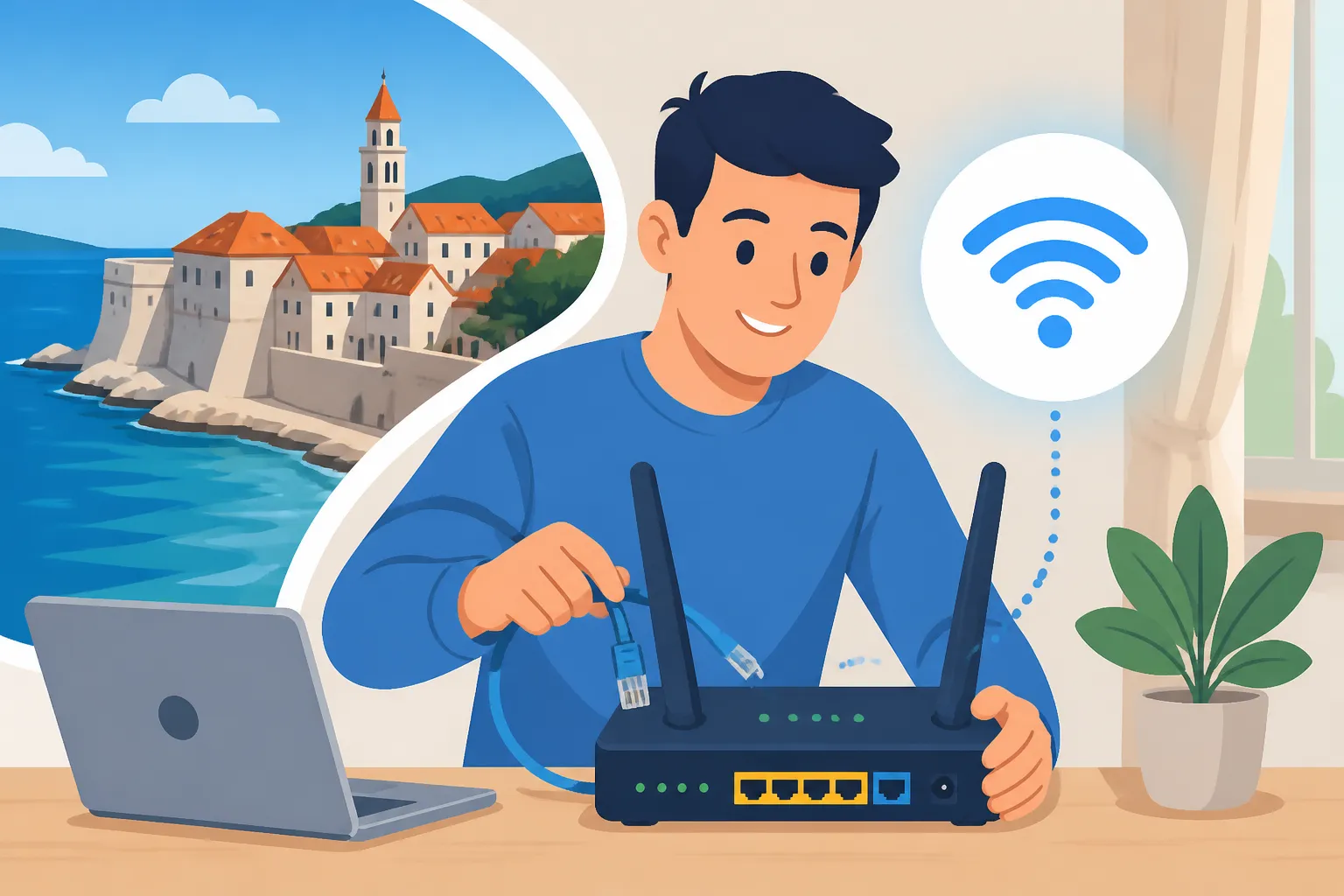
On installation day, a technician will come to your home. For ADSL/VDSL, they’ll connect your router to the existing phone line. For fibre, they’ll run an optical cable into your apartment, often through a small hole drilled near your existing utility entry point, and then connect it to an optical network terminal (ONT) and your Wi-Fi router. It's usually a quick and clean process, taking anywhere from 30 minutes to a couple of hours.
What to expect from the technician:
- They will connect the equipment.
- They will test the internet connection to ensure it's working.
- They should help you connect at least one device (like your phone or laptop) to the Wi-Fi and provide you with the network name (SSID) and password.
- Crucially: Make sure you get the Wi-Fi details and test the connection before the technician leaves. If you have a specific spot where you want the router or any concerns about cable routing, communicate this clearly. Many technicians might not speak fluent English, so having a Croatian friend or a translation app handy can be incredibly helpful. Once they leave, your internet should be active and ready to use!
Common Challenges and Troubleshooting for Expats
Even with all the preparation in the world, things don't always go smoothly. As an expat in Croatia, you might face some unique challenges when setting up your internet. Knowing what to expect and how to tackle them can save you a lot of frustration.
Language Barriers and Customer Service Woes
Let's be honest, trying to explain a technical issue in a foreign language is a special kind of hell. While major providers like HT and A1 do offer English-speaking customer service lines, these can sometimes be busy, and the agents might not always grasp the nuances of your problem, especially if it's very specific. You might find yourself repeating information or being transferred between departments.
Tips for navigating this:
- Be patient: This is key. Shouting or getting angry rarely helps.
- Have information ready: Always have your OIB, account number, and the exact details of your issue written down.
- Translate key terms: Use a translation app like Google Translate or DeepL to jot down key Croatian phrases related to your problem (e.g., "internet not working," "slow speed," "no signal").
- Ask for a call-back: If communication is breaking down, ask if someone who speaks better English can call you back.
- Visit a physical store: For complex issues or if phone support isn't working, going to a physical store can be more effective, as you can point to things and have a face-to-face conversation. Consider bringing a Croatian friend along if you can.
- Online portals: Many providers have online self-service portals where you can check your usage, bills, and sometimes even report issues, which can bypass the phone queue entirely.
Unexpected Delays and Technical Glitches
Things rarely go exactly as planned, and internet installation in Croatia can sometimes be subject to unforeseen delays. This could be due to technician availability, issues with existing infrastructure, or simply administrative hiccups. If your installation is delayed, or if you encounter technical problems after activation, it can be incredibly frustrating.
What to do:
- Follow up regularly: Don't just wait. If an installation date is missed, call customer service the next business day.
- Document everything: Keep a record of who you spoke to, when, and what was discussed. If they promise a solution or a new installation date, note it down.
- Check your equipment: Before calling support, do some basic troubleshooting yourself. Is the router plugged in? Are all the lights on as they should be? A simple restart can often fix minor glitches.
- Understand common issues: Sometimes, slow speeds can be due to your Wi-Fi setup (e.g., too far from the router, interference) rather than the provider's line.
- Be realistic: While you have every right to expect timely service, sometimes delays are unavoidable. Having a backup plan, like a good mobile data package (see "Alternative Internet Solutions"), can make these periods less stressful. For more context on managing your home services, check out The Expat Guide to Setting Up Utilities in Croatia.
Understanding Your Contract and Billing
Croatian internet contracts typically run for 12 or 24 months. It’s crucial to understand the terms and conditions, especially regarding early termination fees, automatic renewals, and price changes. Your bill (račun) will arrive monthly, usually by post or email, and will detail your charges.
Key things to look out for:
- Price consistency: Ensure the amount charged matches what you agreed to in your contract, especially after any promotional periods end.
- Extra charges: Look for any unexpected charges. Sometimes, activating certain services or making calls outside your plan can incur additional costs.
- Payment methods: Most providers encourage direct debit (trajni nalog) from a Croatian bank account. You can also pay via online banking, at Hrvatska Pošta (the post office), or at TISAK kiosks.
- Cancelling your contract: If you need to cancel (e.g., because you're moving), be aware of your notice period and any penalties for early termination. This process usually requires a written request and can be quite bureaucratic. Make sure you return any rented equipment (router, TV box) to avoid further charges. Knowing how utilities work more broadly can help here, especially if you're coordinating a full move, which is covered in our guide The Complete Guide to Renting an Apartment in Croatia.
Alternative and Temporary Internet Solutions
While getting fixed home internet is the long-term goal for most, there are plenty of excellent temporary or alternative solutions that can keep you connected in the interim, or even serve as your primary internet source if fixed-line options are poor. These are especially useful in those first few weeks after you arrive or if you travel frequently within Croatia.
Mobile Hotspots and SIM Cards
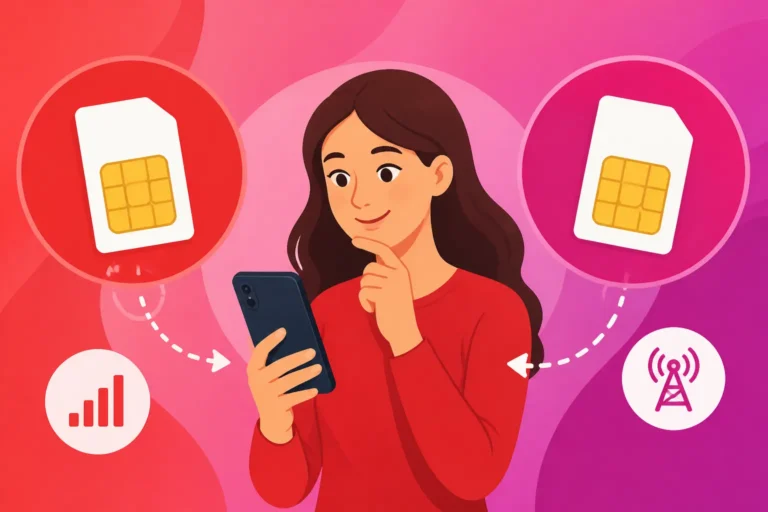
This is often the quickest and easiest way to get online immediately upon arrival. You can simply buy a prepaid Croatian SIM card, pop it into your smartphone, and use your phone's mobile hotspot feature to share the internet connection with your laptop or other devices. All major Croatian mobile providers (HT, A1, Telemach) offer prepaid SIM cards with various data packages. These are readily available at their stores, kiosks, and often even in supermarkets.
Advantages:
- Instant connectivity: No waiting for installation.
- Portability: You have internet wherever your phone has signal.
- Flexibility: You're not tied to a long-term contract.
Disadvantages:
- Data caps: Prepaid packages usually come with limited data, which can quickly run out if you're streaming heavily.
- Speed fluctuations: Speed depends entirely on mobile network coverage and congestion.
- Battery drain: Using your phone as a hotspot drains its battery quickly.
For a new arrival, grabbing a local SIM card is invaluable. Before your fixed internet is installed, or if you're just looking for a temporary fix, consider snagging a local SIM card or even an eSIM from providers like Airalo. It’s a lifesaver for navigating those first few weeks. To learn more about this, check out How Do I Get a Croatian SIM Card as a New Arrival?. Also, our general guide How to Set Up Mobile and Internet Service in Croatia provides more details on mobile options.
Portable Wi-Fi Devices MiFi
For those who need more dedicated portable internet than a smartphone hotspot can provide, a portable Wi-Fi device, often called a MiFi or mobile hotspot device, is an excellent option. These are small, battery-powered devices that use a SIM card to create a Wi-Fi network, which multiple devices can connect to. All major providers sell these devices, often bundled with data plans.
Advantages:
- Dedicated device: Doesn't drain your phone's battery.
- Multiple connections: Can support several devices simultaneously.
- Better signal: Often have better antennas than phones.
Disadvantages:
- Additional cost: You have to buy the device.
- Data caps: Still reliant on mobile data plans, so data can be limited.
- Another device to charge: One more gadget to keep powered.
If you’re waiting for a fibre installation, perhaps one like what’s described in How Do I Set Up Fibre Internet in Zagreb?, a MiFi can bridge the gap perfectly.
Public Wi-Fi and Co-working Spaces
Croatia has a decent scattering of public Wi-Fi hotspots, especially in tourist areas, city centers, cafes, and restaurants. While convenient for quick checks, they are generally not secure enough for sensitive tasks and speeds can be unreliable due to many users. For more reliable internet away from home, particularly if you need a strong, stable connection for work, co-working spaces are a fantastic solution. Cities like Zagreb, Split, and Rijeka have several modern co-working spaces that offer high-speed internet, comfortable working environments, and a chance to meet other remote workers and expats. They usually offer daily, weekly, or monthly passes.
Advantages:
- Free (public Wi-Fi) or dedicated (co-working): Great for occasional use or focused work.
- Social aspect: Co-working spaces offer community.
- No setup required: Just connect and go.
Disadvantages:
- Security risks: Public Wi-Fi is generally insecure.
- Availability: Not always where you need it.
- Cost (co-working): Can add up if used daily.
While these options are great for flexibility, for a stable, secure, and unlimited home connection, pursuing a fixed internet plan remains the ideal solution for most long-term residents.
Comparing Major Croatian Internet Providers
To help you make an informed decision, here’s a quick comparison of the major internet providers in Croatia. Keep in mind that specific packages, speeds, and prices are subject to change and depend heavily on your exact location. Always verify details directly with the provider at your address.
| Feature / Provider | Hrvatski Telekom (HT) | A1 Hrvatska | Telemach Hrvatska |
|---|---|---|---|
| Fixed Line Tech | FTTH, VDSL, ADSL | FTTH, VDSL, ADSL | FTTH, Fixed Wireless |
| Max Speeds (FTTH) | Up to 1 Gbps | Up to 1 Gbps | Up to 1 Gbps |
| Coverage | Widest (fixed-line legacy) | Very good (urban & growing fibre) | Growing (strong urban fibre, FWI) |
| Bundled Services | Internet, TV, Phone | Internet, TV, Phone | Internet, TV, Phone |
| Customer Service | English options available, extensive | English options available, responsive | English options available, improving |
| Typical Contract | 12 or 24 months | 12 or 24 months | 12 or 24 months |
| Price Point | Mid-to-High | Mid-to-High | Mid-to-Low |
| Special Offers | Frequent promotions for new customers | Frequent promotions for new customers | Often aggressive promotions, good value |
Remember, this table provides a general overview. The best way to get accurate information for your specific needs is to visit a provider's store or use their online availability checker.
Disclaimer
Please remember that while I strive to provide the most accurate and up-to-date information, the world of telecommunications, regulations, and pricing in Croatia can change rapidly. This guide is intended for informational purposes only and should not be considered legal or professional advice. Always verify details with official sources, service providers, or legal professionals.